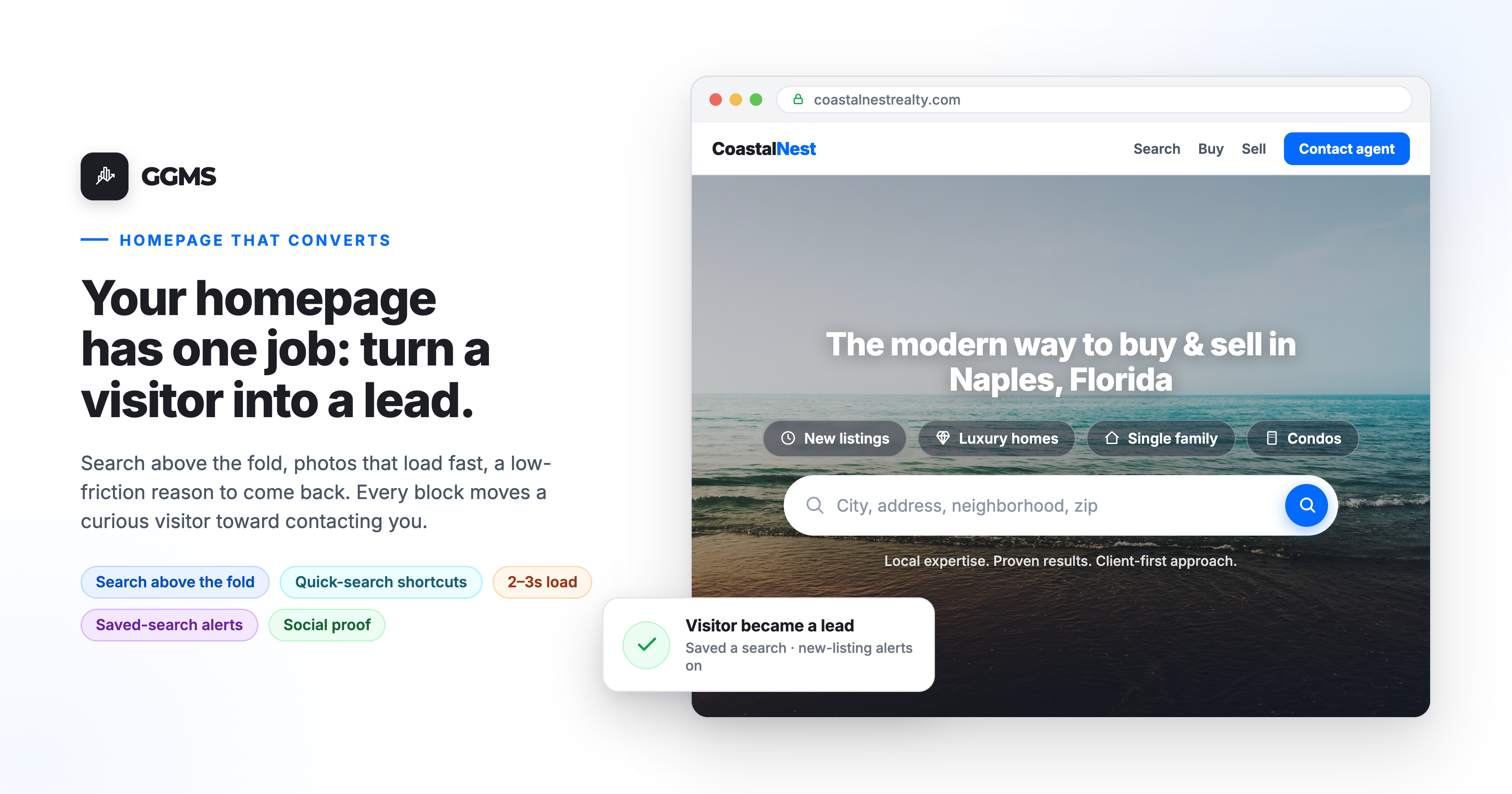
Your homepage has one job: take a visitor who showed up cold and move them toward searching, then toward contacting you. Every block on the page either helps that happen or gets in the way.
The moment a buyer lands on your site, they make a quick decision. Is this a place where I can actually look at homes, or is it another agent page I have to scroll past to find the search. You have a few seconds to answer that, and the homepage is your answer.
Nearly all buyers start their search online, and according to NAR's 2024 Profile of Home Buyers and Sellers, looking at properties on the internet was the single most common first step buyers took. So the homepage is rarely someone's introduction to the idea of buying. It is the moment they decide whether your site is where they will do the searching. A homepage that converts answers three things, in this order: can I search homes here, can I trust this person, and how do I reach them.
What should your homepage do in the first few seconds?
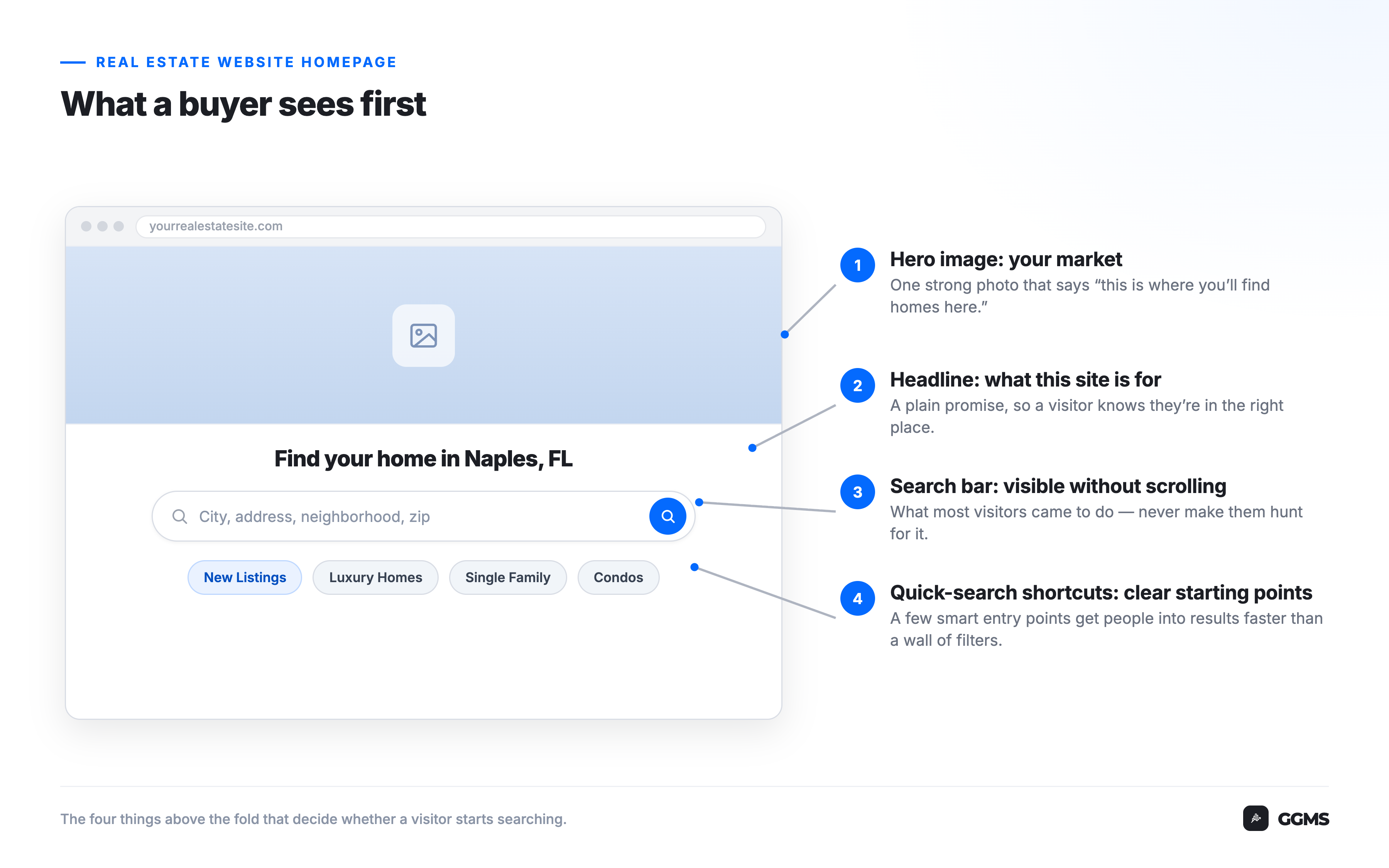
It should make the search obvious. Put a property search bar and a few quick-search shortcuts above the fold, so a visitor knows at a glance that this is where they look for homes. The search comes first because that is what most people arrived to do, and asking them to hunt for it costs you the ones who will not bother.
There is a design principle behind this called Jakob's Law: people spend most of their time on other sites, so they expect yours to work like the ones they already know. For real estate, the sites they know are the big portals. A hero image, a prominent search bar, and a row of quick filters like New Listings, Luxury Homes, Single Family, and Condos all match that expectation, so the page feels usable on arrival instead of unfamiliar.
The quick-search shortcuts do a second job. Instead of dropping a visitor into a blank search box, they offer a few clear starting points. That follows Hick's Law, the idea that more choices mean more time spent deciding. A short, smart set of entry points gets people into results faster than a wall of filters does. It also helps that the thing buyers said they value most on a real estate website is photos, the most useful website content for 41% of buyers in NAR's 2024 data, so those listing tiles are pulling real weight, not decorating the page.
This is the same thinking behind a property search your buyers already know how to use: familiar by design, so the search itself is never the obstacle.
Why a slow homepage loses the buyer before it sells anything
None of the above matters if the page does not load. Speed is the quiet filter that decides how many visitors ever see your search bar. Aim to show the top of the page in about two to three seconds, especially on phones, where most of this traffic lives.
The catch is that the parts of a real estate homepage that sell the hardest, the hero image and the listing photos, are also the heaviest to load. Google's research on mobile page speed found that for about 70% of the mobile landing pages it analyzed, the visual content above the fold took more than five seconds to appear. That is a long time to ask a buyer to stare at a blank screen before your homepage even has a chance.
The most effective fix is compressing those images without making them look worse. On a GGMS site, listing photos and uploads are compressed automatically on the way in, so your page can stay image-rich and still load quickly. You get the photos buyers want and the speed the search depends on.
How your homepage turns a visitor into someone you can reach
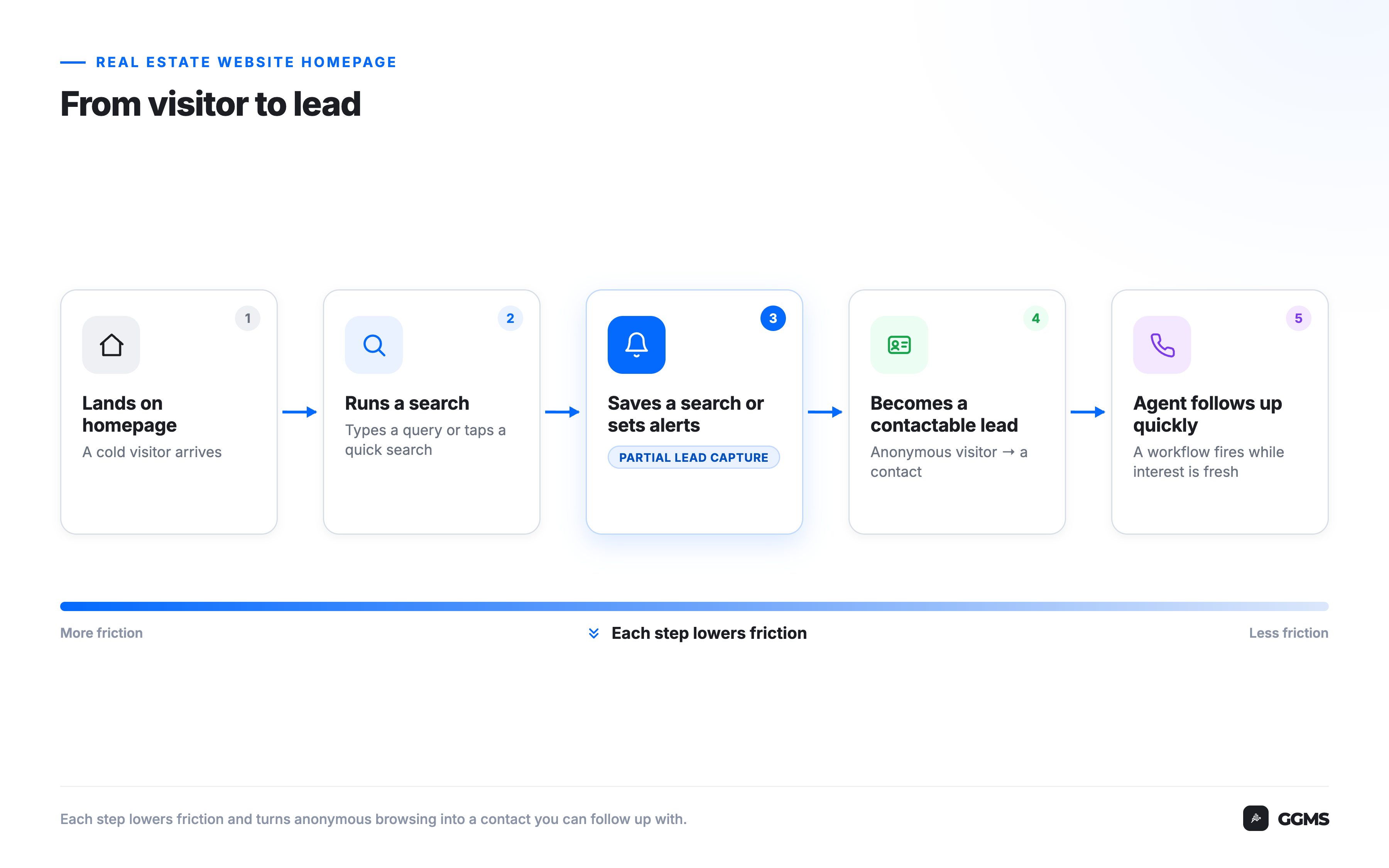
A homepage converts when it gives a visitor a low-friction reason to identify themselves and a clear way to make contact, then connects that activity to fast follow-up. Most people are not ready to fill out a long form on arrival. They are ready to save a search or get alerted when new homes match what they want.
Think about an agent in Columbus whose homepage lets a buyer run a search, then offers to save it and send new listings as they hit the market. That is a fair trade from the buyer's side: they get useful alerts on homes they actually care about. It is also where an anonymous visitor becomes a contact you can follow up with. Partial Lead Capture is built for exactly this moment. It is a two-step registration flow that asks for less up front, which reduces the friction that makes people abandon a sign-up, and lifts the number of visitors who complete it.
Worth being plain about what is and is not happening here. You are not surveilling anyone. The buyer chooses to save a search and get alerts, and what you do with that is reach out while their interest is fresh. Because GGMS owns both the website and the CRM, that search activity can trigger a follow-up workflow instead of sitting in a report nobody reads. The homepage starts the relationship; the system keeps it from going cold.
See it on a live site: Want to watch a visitor turn into a contact on a real GGMS homepage? Email sales@ggms.com and we will walk you through it on an actual site, no slideshow.
What the "areas we serve" section is really doing
The communities and service-area sections lower on the page are doing two jobs at once. For buyers, they are navigation: a way to start from a place instead of a price. For search engines, they are local context that helps your site show up when someone searches by location.
A buyer in Raleigh who is not sure where to start often knows the area before they know the budget. Tiles for neighborhoods and nearby cities give them a door in, and each of those pages becomes something search engines can index and rank, which feeds your broader local SEO foundation. One caution that matters here: describe areas by geography and facts, never by who they are best suited for. Framing like "great for families" or "safe neighborhood" steers buyers and creates Fair Housing exposure. Keep it to location, property types, and price.
How the page earns trust before it asks for anything
By the time your homepage asks for contact, it should have already earned it. That is what the proof sections are for: review counts, homes sold, years in the business, client testimonials, and the logos of platforms people recognize. Social proof placed before the ask lowers hesitation, because buyers do their homework before they reach out.
They really do. According to BrightLocal's Local Consumer Review Survey, only about 4% of consumers say they never read online reviews of local businesses. So a homepage that shows genuine reviews and recent results is meeting a buyer where they already are. The honesty rule is non-negotiable: use real, verifiable numbers. An inflated review count or a vague "98% satisfaction" with nothing behind it does more damage than leaving it off, because the buyer who senses it stops trusting everything else on the page. A short, human agent introduction does the same work on a personal level, turning a faceless site into someone a buyer can picture working with.
Putting it in order
If you only fix one thing, fix the search above the fold, because that is what most visitors came for. After that, the priority runs in the same order a visitor moves through the page: load fast, make searching easy, give a low-friction reason to come back, then prove you are worth contacting. Build the page in that order and the contact form stops feeling like a wall and starts feeling like the obvious next step.
Frequently asked questions
What should a real estate agent's website homepage include?
A real estate homepage should include a property search bar and a few quick-search shortcuts above the fold, sections that help buyers explore by area, clear social proof like reviews and recent results, a short agent introduction, and an easy way to make contact. The search comes first, because that is what most visitors arrived to do.
How fast should a real estate website homepage load?
Aim to show the top of your homepage in about two to three seconds, especially on mobile. The hero image and listing photos are usually the heaviest parts of the page, so compressing them is the most effective fix. Slower load times push more visitors to leave before they ever see your search bar.
Does a real estate homepage need a search bar above the fold?
Yes. Most visitors land on a real estate homepage to look at homes, so the search bar should be visible without scrolling. Placing it above the fold, alongside a few quick-search shortcuts like new listings or condos, matches what buyers already expect from the portals they use and gets them searching faster.
What makes a real estate homepage convert visitors into leads?
A homepage converts when it makes searching easy, gives visitors a low-friction reason to identify themselves, such as saving a search or getting new-listing alerts, and connects that activity to fast follow-up. Trust signals like reviews and recent results lower hesitation, and a clear contact option makes the next step obvious.
Should I put review counts and testimonials on my homepage?
Yes, as long as the numbers are real and verifiable. Most consumers read online reviews before choosing a local business, so genuine social proof placed before the contact ask lowers hesitation. Avoid inflating counts or describing neighborhoods in ways that suggest who they are best suited for, which raises Fair Housing concerns.
Want a homepage built to do this from the first second? We are happy to show you one in action. Reach out at sales@ggms.com, and if you are already on GGMS and want to fine-tune your current homepage, support@ggms.com can help.
.png)